By defining a channel in Sitecore Commerce 8.0 powered by Microsoft Dynamics®, you can define the Dynamics AX ® online channels that synchronize into the edge catalog.
Defining a channel provides extensibility by allowing additional configuration fields to be stored. When a new channel is defined and linked to a Dynamics AX ® channel, catalog information synchronizes into the edge catalog, and catalogs will become visible in the Sitecore Commerce Connect catalog integration node. Once a catalog is synchronized, it can be referenced in storefronts and used to produce browse and search displays.
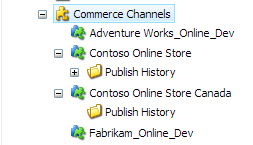
Dynamics AX Commerce Channels
The base of the synchronization framework resides in the channel configuration. Channels are
defining the basic information used for synchronizing data between Dynamics AX and Sitecore
Commerce Server. The default Dynamics update package installs two channels for demonstration
purpose. To configure the synchronization framework, set the following values on the Channel
item:
- Last Synchronized represents the date that the channel was last synchronized. To obtain a full import for the channel, clear the value.
- Enabled controls if a channel is checked during synchronizations. If Enabled is not selected, the channel will be ignored during the synchronization process.
- SyncToken: is used to get the changed product during an incremental import. Clear the Last Synchronized value to get a full import from Dynamics AX ®.